


Artificial intelligence has changed the way people work, study, create content, manage businesses, and organize daily tasks. In 2026, the best AI productivity tools can do much more than generate text. They can organize schedules, summarize meetings, automate repetitive tasks, research complex topics, manage projects, improve writing, create designs, and help teams make better use of their time.
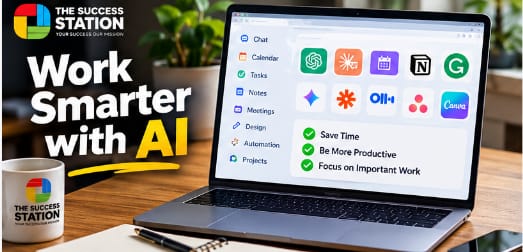
However, hundreds of AI applications are now available, which makes choosing the right tool difficult. Some are designed for general productivity, while others focus on scheduling, writing, research, meetings, automation, or project management. To make your decision easier, we have selected the top 10 AI productivity tools for 2026 that can help you save time and work smarter.
What Are AI Productivity Tools?
AI productivity tools are software applications that use artificial intelligence to help users complete tasks faster and more efficiently. Instead of spending hours on repetitive activities, you can use AI to summarize information, draft content, organize projects, schedule meetings, analyze documents, automate workflows, and manage everyday work.
For example, an AI meeting assistant can automatically create notes from a long meeting, while an AI scheduling tool can find suitable times for tasks and meetings. Similarly, an AI writing assistant can improve an email or report within seconds. The main purpose of these tools is not simply to replace manual work but to reduce repetitive tasks so that users can spend more time on important decisions and creative work.
1. ChatGPT – Best Overall AI Productivity Tool
Visit the Official ChatGPT Website
ChatGPT is one of the most versatile AI productivity tools in 2026. Developed by OpenAI, it can assist with writing, brainstorming, research, coding, planning, summarization, data analysis, document work, and many other professional tasks.
Professionals can use ChatGPT to draft emails, prepare reports, summarize documents, analyze information, generate ideas, explain difficult concepts, and create project plans. Students can use it to understand complicated subjects, while programmers can use it to explain code, troubleshoot problems, and develop applications.
One of ChatGPT’s biggest advantages is its flexibility. Instead of using a separate application for every small task, users can perform many different activities within a single AI assistant. This makes it useful for freelancers, businesses, students, marketers, developers, researchers, and office professionals.
Best for: General productivity, writing, research, coding, planning, brainstorming, and data analysis.
2. Claude – Best for Writing and Long Documents
Visit the Official Claude Website
Claude is an AI assistant developed by Anthropic and is particularly useful for writing, reasoning, research, and working with documents. Users can provide detailed instructions and continue refining the output through natural conversations.
Claude can help professionals summarize documents, improve reports, generate content, brainstorm ideas, analyze information, and organize complicated material. It is especially useful when you need to work with substantial amounts of written information and want an AI assistant that can help identify important points.
Writers and marketers can also use Claude to develop outlines, rewrite content, generate ideas, and improve existing drafts. Therefore, it is a strong alternative for users whose daily work involves a significant amount of reading and writing.
Best for: Long documents, writing, research, analysis, and brainstorming.
3. Reclaim.ai – Best AI Scheduling Tool
Visit the Official Reclaim.ai Website
Managing a busy calendar can take more time than expected. Reclaim.ai is an intelligent calendar assistant designed to help individuals and teams organize their schedules around their priorities. It can help protect focus time, manage tasks, schedule habits, coordinate meetings, and adapt a calendar when priorities change.
Reclaim 2.0 takes this further with an AI Assistant and agentic scheduling capabilities. It can consider tasks, priorities, deadlines, and calendar context when helping users plan their work. Reclaim can also work with task-management services such as Asana, ClickUp, Jira, Todoist, Google Tasks, and Notion.
This makes Reclaim particularly valuable for professionals who have busy calendars and frequently struggle to find uninterrupted time for important work.
Best for: Scheduling, calendar management, focus time, tasks, and time blocking.
4. Notion AI – Best for Knowledge Management
Visit the Official Notion AI Website
Notion is already widely used for notes, databases, documentation, tasks, and team collaboration. Notion AI brings artificial intelligence directly into this workspace, allowing users to generate documents, search information, summarize content, automate repetitive work, and work with knowledge stored across their workspace.
Notion’s current AI capabilities include Notion Agent, AI Meeting Notes, Enterprise Search, Research Mode, AI writing features, and Custom Agents. Its agents can also use context from Notion and connected applications to perform multi-step tasks.
This combination makes Notion AI especially useful for companies that have large amounts of information spread across projects, documents, databases, and internal resources.
Best for: Knowledge management, documentation, notes, team collaboration, and AI-assisted workflows.
5. Grammarly – Best AI Writing Assistant
Visit the Official Grammarly Website
Grammarly is a popular writing assistant designed to help users communicate more clearly. It can identify spelling and grammar problems while also providing suggestions related to clarity, tone, sentence structure, and overall writing quality.
The tool is particularly useful for people who regularly write emails, reports, proposals, articles, academic material, or professional documents. Instead of manually reviewing every sentence, users can receive writing suggestions while they work.
Grammarly can therefore be a useful productivity tool for students, professionals, marketers, writers, freelancers, and business owners who want to improve written communication while spending less time editing.
Best for: Grammar checking, professional writing, emails, editing, and improving clarity.
6. Gemini Notebook – Best AI Tool for Research
Visit the Official Gemini Notebook Website
Google’s NotebookLM became Gemini Notebook in 2026, while remaining a standalone product focused on research. It allows users to work with source material and use AI to better understand and organize information. Google says the product has expanded across its ecosystem and added capabilities for deeper source-grounded analysis.
This approach is valuable for students, researchers, writers, analysts, and professionals who need to process large amounts of information. Users can bring together research materials and then ask questions, identify important themes, generate summaries, and explore connections between sources.
Because the experience is centered on the material you provide, Gemini Notebook can be particularly helpful when you need AI assistance with a specific collection of research rather than a general internet question.
Best for: Research, studying, source analysis, document summaries, and knowledge organization.
7. Zapier – Best for AI Workflow Automation
Visit the Official Zapier Website
Zapier is one of the most useful tools for automating repetitive workflows between different applications. In 2026, Zapier describes itself as infrastructure for AI-powered automation, connecting apps, data, business processes, and AI models. Its ecosystem supports thousands of applications.
For example, a business could automatically collect information from a form, add it to another application, use AI to summarize or classify the information, and then send a notification to the appropriate team member. Without automation, these steps might need to be performed manually every time.
Zapier is therefore especially useful for businesses that use multiple software applications and want information to move automatically between them.
Best for: Workflow automation, app integrations, business processes, and repetitive tasks.
8. Otter.ai – Best AI Meeting Assistant
Visit the Official Otter.ai Website
Meetings can consume a significant amount of working time, and taking detailed notes while actively participating in a discussion can be difficult. Otter.ai is designed to make meetings more manageable through AI-powered transcription and meeting assistance.
The platform can help capture conversations, create transcripts, generate summaries, and organize important information from meetings. This allows participants to focus more closely on the conversation instead of trying to manually record every important detail.
Otter.ai can be especially useful for remote teams, managers, recruiters, researchers, sales professionals, and organizations that conduct frequent online meetings, interviews, or client discussions.
Best for: Meeting transcription, summaries, interviews, notes, and team meetings.
9. Asana – Best AI Project Management Tool
Visit the Official Asana AI Website
Projects can quickly become difficult to manage when teams have dozens of tasks, deadlines, dependencies, and stakeholders. Asana combines project-management functionality with AI-assisted features designed to help teams manage work more efficiently. Teams can organize projects, assign tasks, track progress, and maintain visibility over deadlines from one workspace. AI assistance can further reduce the administrative burden involved in understanding project status and coordinating work.
Asana AI includes features for summarizing projects, automating routine tasks, creating and editing tasks, and providing information about ongoing work. Its newer AI capabilities also include AI Teammates and AI Studio for building automated workflows.
For companies managing several projects at the same time, these features can reduce repetitive project administration and make important information easier to find.
Best for: Project management, teamwork, task management, automation, and progress tracking.
10. Canva – Best AI Tool for Design and Content Creation
Visit the Official Canva AI Website
Canva is one of the most accessible design platforms for people who do not have professional graphic-design experience. It can be used to create presentations, social media graphics, posters, marketing materials, videos, documents, thumbnails, and many other types of visual content.
Canva AI expands these capabilities by bringing AI assistance directly into the creative process. Canva says its AI experience supports design, writing, code, conversational editing, and other creative activities within its Visual Suite.
This makes Canva particularly useful for content creators, small businesses, marketers, educators, YouTubers, freelancers, and social media managers who need to produce professional-looking content quickly.
Best for: Graphic design, presentations, social media content, marketing materials, and visual content creation.
How to Choose the Best AI Productivity Tool
The best AI productivity tool depends on what you actually want to accomplish. If you need one flexible assistant for writing, brainstorming, research, coding, and everyday work, ChatGPT or Claude may cover many of your requirements. If managing your calendar is the main problem, Reclaim.ai is designed specifically for scheduling and time management.
For research, Gemini Notebook provides a source-focused environment, while Grammarly is useful for improving professional writing. Zapier is a stronger choice when repetitive workflows between applications are wasting time. Similarly, Otter.ai focuses on meetings, Asana is designed around project management, and Canva is ideal when your work involves frequent visual content creation.
The important point is that you do not need to subscribe to every AI application. Start with the repetitive tasks that consume the most time and select an AI tool that addresses those specific problems.
Are AI Productivity Tools Worth Using in 2026?
For many professionals, students, creators, and businesses, AI productivity tools can significantly reduce repetitive work. Their biggest advantage is not simply generating content faster. Instead, AI can help users spend less time searching for information, rearranging calendars, creating meeting notes, formatting documents, managing routine tasks, and transferring information between applications.
However, AI-generated information should still be reviewed. Important facts, financial calculations, research conclusions, business decisions, and professional documents should be checked before they are used. AI works best as an assistant that supports human judgment rather than replacing it completely.
Frequently Asked Questions About AI Productivity Tools
What are the best AI productivity tools for 2026?
Some of the most useful AI productivity tools in 2026 include ChatGPT, Claude, Reclaim.ai, Notion AI, Grammarly, Gemini Notebook, Zapier, Otter.ai, Asana, and Canva. Each tool focuses on different productivity needs, including writing, research, scheduling, automation, meetings, project management, and design.
What is the best AI tool for productivity?
The right choice depends on your work. ChatGPT provides broad assistance across many tasks, while specialized tools may be better for specific needs. For example, Reclaim.ai focuses on scheduling, Zapier on automation, Asana on project management, and Canva on visual content.
What are the best free AI productivity tools?
Many popular AI productivity platforms offer free access or free plans, although features and usage limits vary. Users should check each tool’s official pricing page because free-plan limits can change over time.
Can AI productivity tools save time?
Yes. AI tools can reduce the time spent on repetitive activities such as drafting text, summarizing documents, taking meeting notes, organizing schedules, conducting research, and moving information between applications. However, the actual time saved depends on your workflow and how effectively you use the tool.
Final Thoughts
The best AI productivity tools for 2026 can help people work faster, automate repetitive processes, organize information, and manage their time more effectively. ChatGPT and Claude provide flexible AI assistance for many everyday tasks, while Reclaim.ai, Notion AI, Grammarly, Gemini Notebook, Zapier, Otter.ai, Asana, and Canva provide more specialized productivity features.
Instead of using every AI application available, identify the tasks that consume the most time in your daily routine. Then choose one or two tools that directly address those problems. When used effectively, AI can reduce repetitive work and give you more time to focus on creative thinking, decision-making, and the work that matters most.


Leave a Reply